Deleting suggestions, comments, votes, and boards
Introduction
Section titled “Introduction”You might initially try out Feature Upvote with dummy info. This gives you a chance to see how it works and whether it suits your company.
When you are convinced that Feature Upvote works for you, you might want to:
- Clean up your test suggestions, comments, and votes by deleting them
- Maintain any configuration you’ve made to your feedback board’s appearance
- Completely delete the board, and start fresh with another one
All these options are possible.
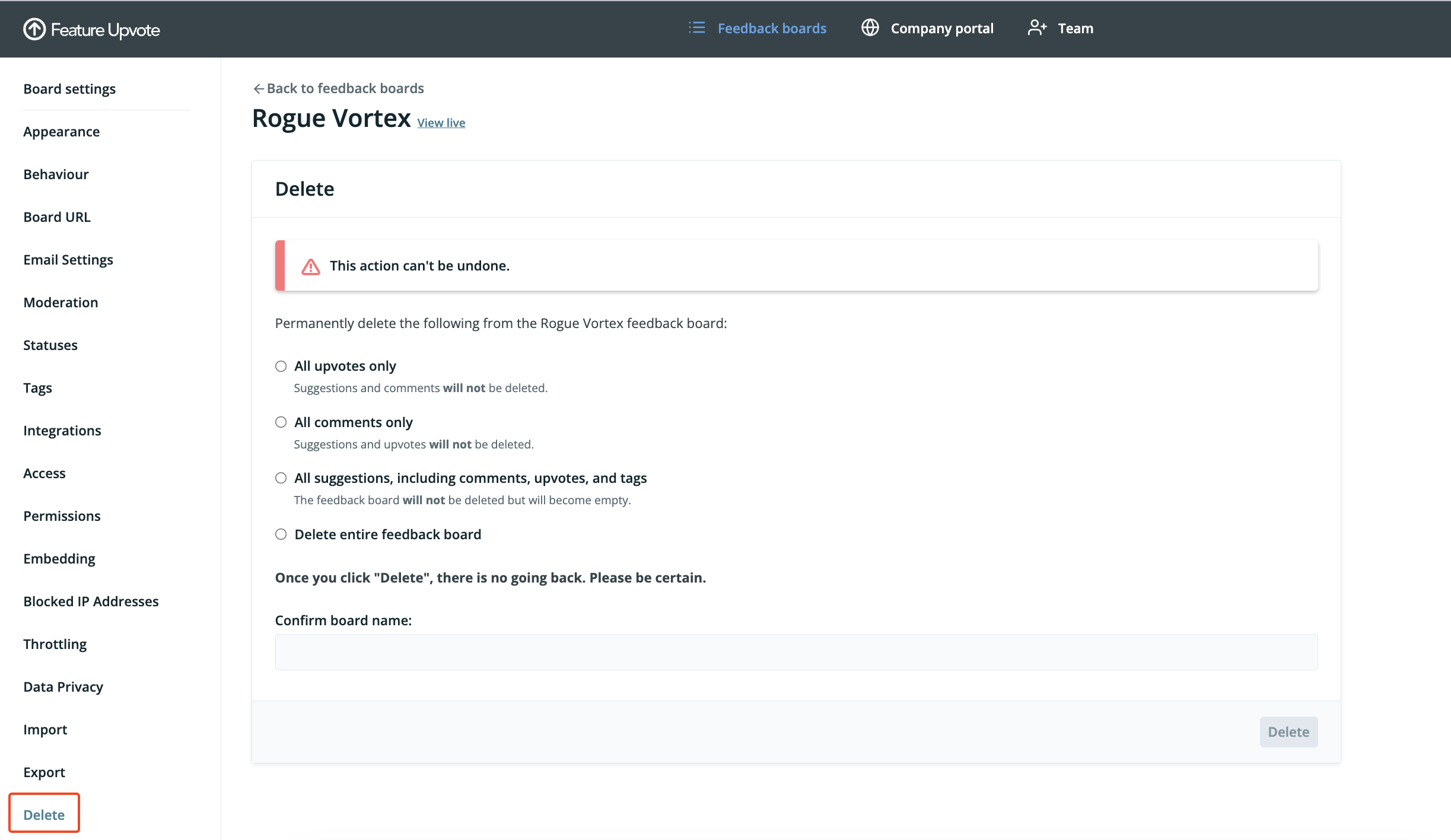
How to delete boards, suggestions, comments, or votes
Section titled “How to delete boards, suggestions, comments, or votes”-
Go to your Feature Upvote dashboard
-
Find the board you wish to delete or clean up, and click on “Settings”

-
Click on “Delete”
-
Choose which types of items to delete
-
Enter the confirmation text and press Delete