Upvoting a suggestion or adding a comment
Introduction
Section titled “Introduction”Your customers might want to upvote a suggestion or add a comment if:
- They also want the suggested feature to be built
- They want a suggested feature to be built but would like to add greater detail to the suggestion or suggest an amendment
How to upvote a suggestion
Section titled “How to upvote a suggestion”Customers select the suggestion they want to upvote (which can include clicking on the number of existing upvotes).

They select the ‘upvote’ button.
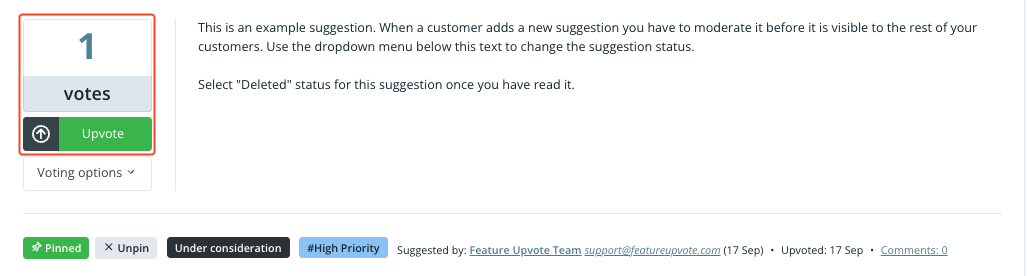
Anyone can upvote a suggestion or add a comment.
For security purposes, you, as the board moderator, can see the date, IP address, OS, browser and device of each upvote. Select ‘voting options’ when viewing a suggestion.
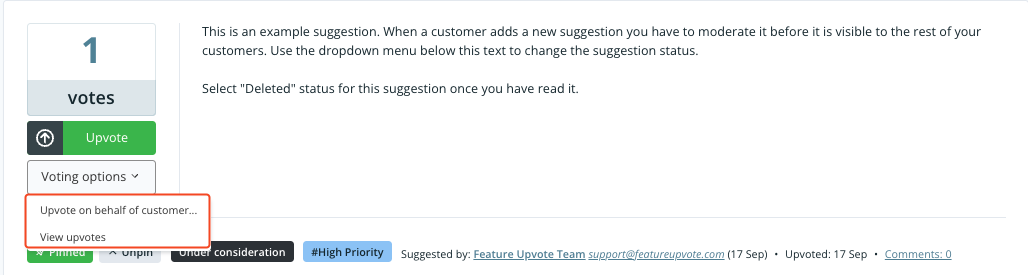
Then choose ‘view upvotes’ to see the date, IP address, OS, browser and device of each upvote.
How to add a comment
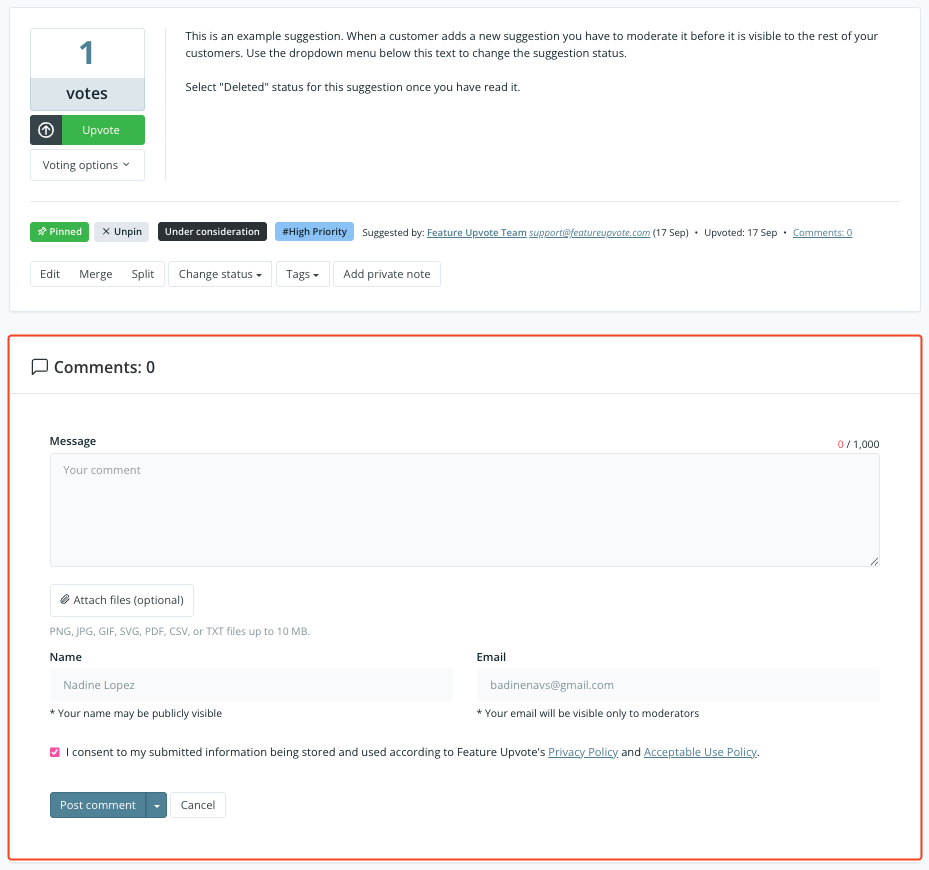
Section titled “How to add a comment”Your customers simply select the suggestion they want to comment on and fill in the comment form.
Customers can edit comments for up to 30 minutes after posting them.