Weighted scores: letting older votes count for less
Introduction
Section titled “Introduction”By default, every vote on your feedback board counts as exactly 1, forever. A suggestion that got 200 votes three years ago stays above a suggestion that got 150 votes in the last few months, even if almost nobody cares about the older one any more.
You can choose weighted scores instead. With weighted scores, each vote slowly loses value over time. Recent votes count for more than older votes, so your board shows what your customers want now.
How weighted scores work
Section titled “How weighted scores work”Each vote starts with a value of 1. Its value then halves every 365 days:
| Age of vote | Value of vote |
|---|---|
| New | 1 |
| 6 months | about 0.71 |
| 1 year | 0.5 |
| 2 years | 0.25 |
| 3 years | 0.125 |
A suggestion’s weighted score is the sum of the values of all its votes. The score shown on your board is rounded to the nearest whole number.
Some details:
- A suggestion with at least one vote always has a weighted score of at least 1.
- A new vote adds 1 to the score immediately.
- Weighted scores are recalculated every night, so a suggestion’s score slowly goes down as its votes get older.
Votes themselves are never changed or deleted. Feature Upvote always keeps the actual number of votes for each suggestion.
Why you might want to use weighted scores
Section titled “Why you might want to use weighted scores”Weighted scores are useful if:
- Your board has been running for a long time, and old, popular suggestions crowd out newer ones.
- Your product has changed a lot, and older votes reflect needs that no longer apply.
- You want the Top list to reflect current demand, not all-time popularity.
If your board is new, or gets few votes, the actual vote count is probably the better choice.
How to turn on weighted scores
Section titled “How to turn on weighted scores”- Go to your dashboard and select Settings for your board.
- Go to the Behaviour tab.
- Under Vote counts, select Weighted scores: each vote slowly loses value over time.
- Click Save changes.
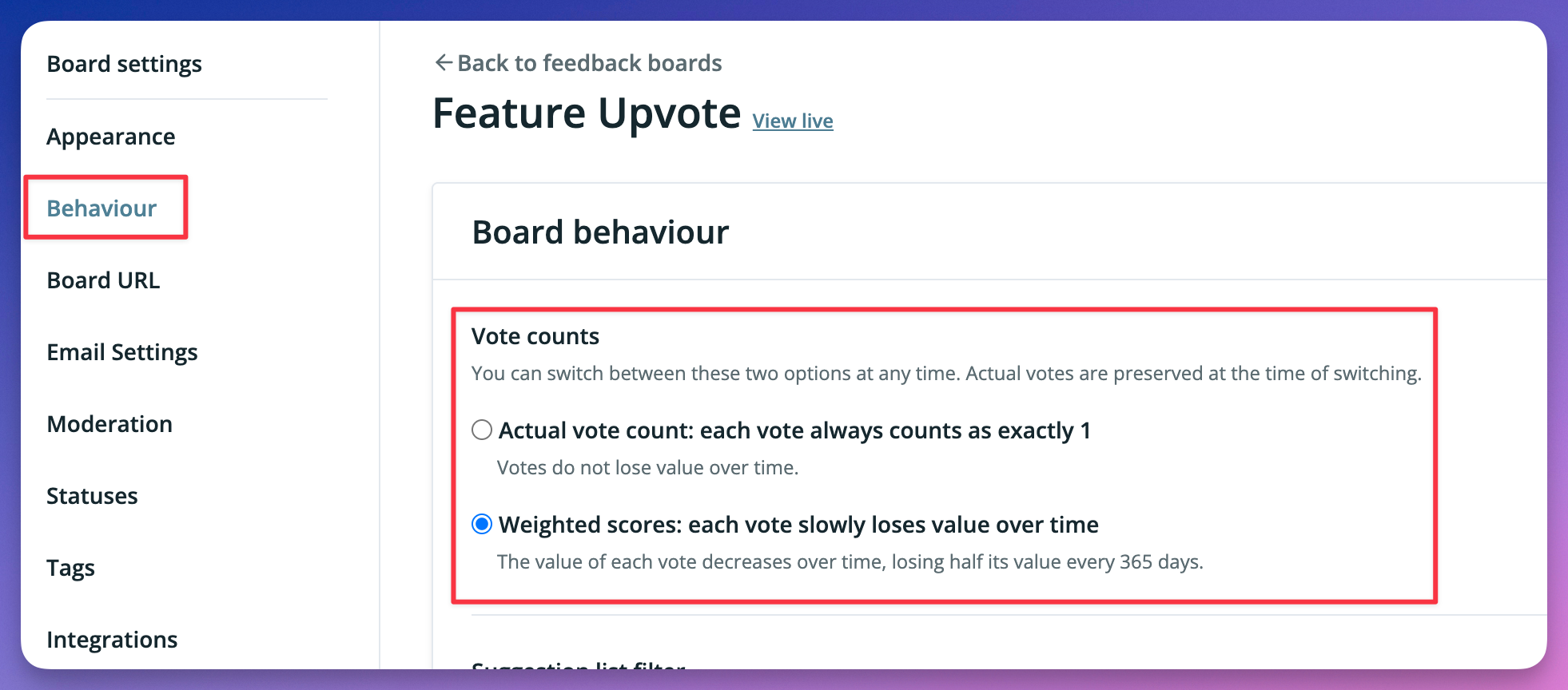
You can switch back to Actual vote count at any time. Switching doesn’t delete or change any votes, so you can try weighted scores and change your mind later.
What your customers and your team see
Section titled “What your customers and your team see”When weighted scores are turned on:
- The number shown next to each suggestion is its weighted score, not its actual number of votes.
- The “Top” order sorts suggestions by weighted score. Pinned suggestions still appear first.
- In the moderation page, sorting by most or least votes, and filtering by number of votes, use the weighted score.
Whichever option you choose:
- The moderation page shows a “Weighted score” column, so you can compare it with the actual vote count.
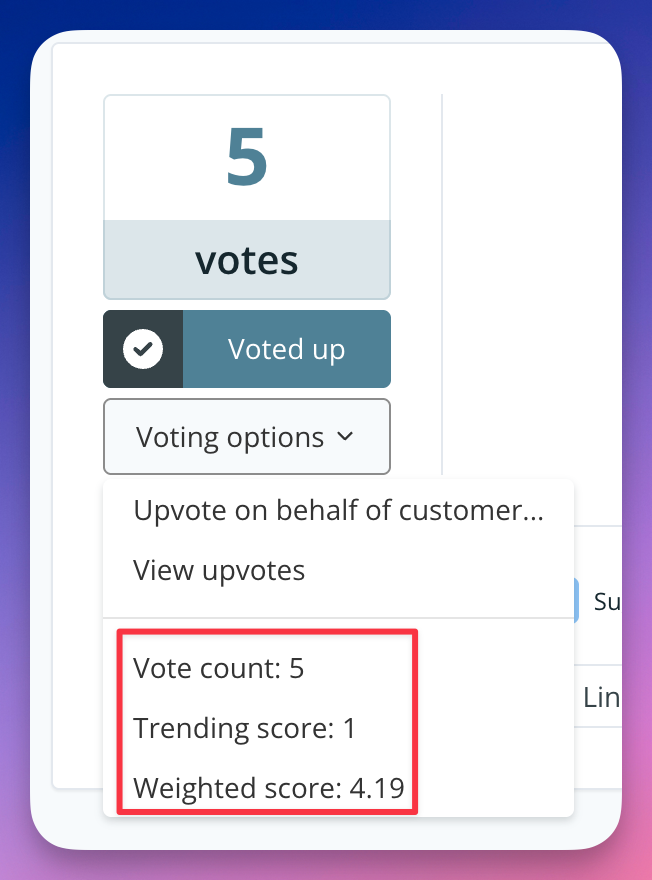
- Moderators can see all three scores for a suggestion. On the suggestion’s page, open the voting options drop-down menu next to the vote button. It shows the vote count, trending score, and weighted score.
- Exports include a “Weighted score” column, next to “Votes” and “Trending score”.
Frequently asked questions
Section titled “Frequently asked questions”Will my customers notice the change?
Yes. The numbers next to suggestions will get smaller, and the order of suggestions in the Top list may change. You might want to tell your customers about it, for example with a pinned suggestion or a note in your board’s description.
Is this the same as the “Trending” order?
No. Trending counts only the votes a suggestion received in the last 30 days, so it shows what’s popular right now. With weighted scores, every vote still counts, but older votes count for less: a vote keeps half its value for a whole year. Weighted scores are a gentler way to stop very old votes from dominating your board.
Can I change the 365-day half-life?
Not yet. If you’d like to, please let us know on our feedback board.