Zapier integration
Introduction
Section titled “Introduction”With the power of our Zapier integration, you can connect Feature Upvote to 1,000+ other apps, including Asana, Aha!, productboard, Zendesk and Discord. Here are some practical uses of Zapier:
- Create a new Trello card when you receive a new Feature Upvote suggestion
- Add a suggestion to apps such as Asana, Aha! and productboard when a suggestion’s status is set to ‘planned’
- Update your Feature Upvote suggestion to ‘done’ when a corresponding task in your issue tracking software is completed
To use our Zapier integration, you’ll need a Zapier account. You’ll also need to be familiar with how Zapier works. You can find out more on their website.
Zapier Triggers and Actions
Section titled “Zapier Triggers and Actions”We offer the following Zapier triggers:
- New suggestion created
- New comment created
- Suggestion changed
We offer the following Zapier actions:
- Create suggestion
- Update suggestion
Connecting to Zapier
Section titled “Connecting to Zapier”Zapier requires you to connect Zapier to your Feature Upvote account.
In your Zapier dashboard go to ‘Connected Accounts’. Zapier customers signed into their Zapier account can do so on the Zapier connections page.
In the ‘Connect a new account’ dropdown select Feature Upvote.
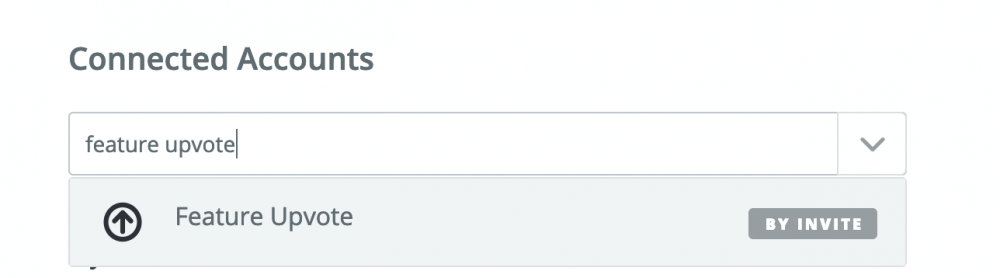
Zapier will prompt you to ‘Allow Zapier to access your Feature Upvote Account’, by entering a Feature Upvote API key. We recommend creating a new API key just for Zapier:
-
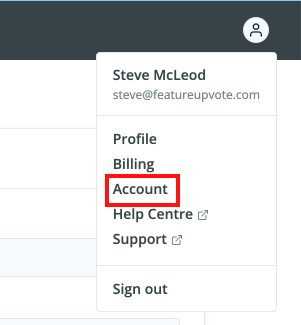
In your Feature Upvote dashboard, click on the user profile icon in the top-right hand corner
-
Select Account, then open the Developer tab. Or, if you are already signed in, click here.
-
Under Create a new API key, enter a name such as “Zapier” and click Create API key
-
Click Copy to clipboard next to your new key, and paste it into Zapier
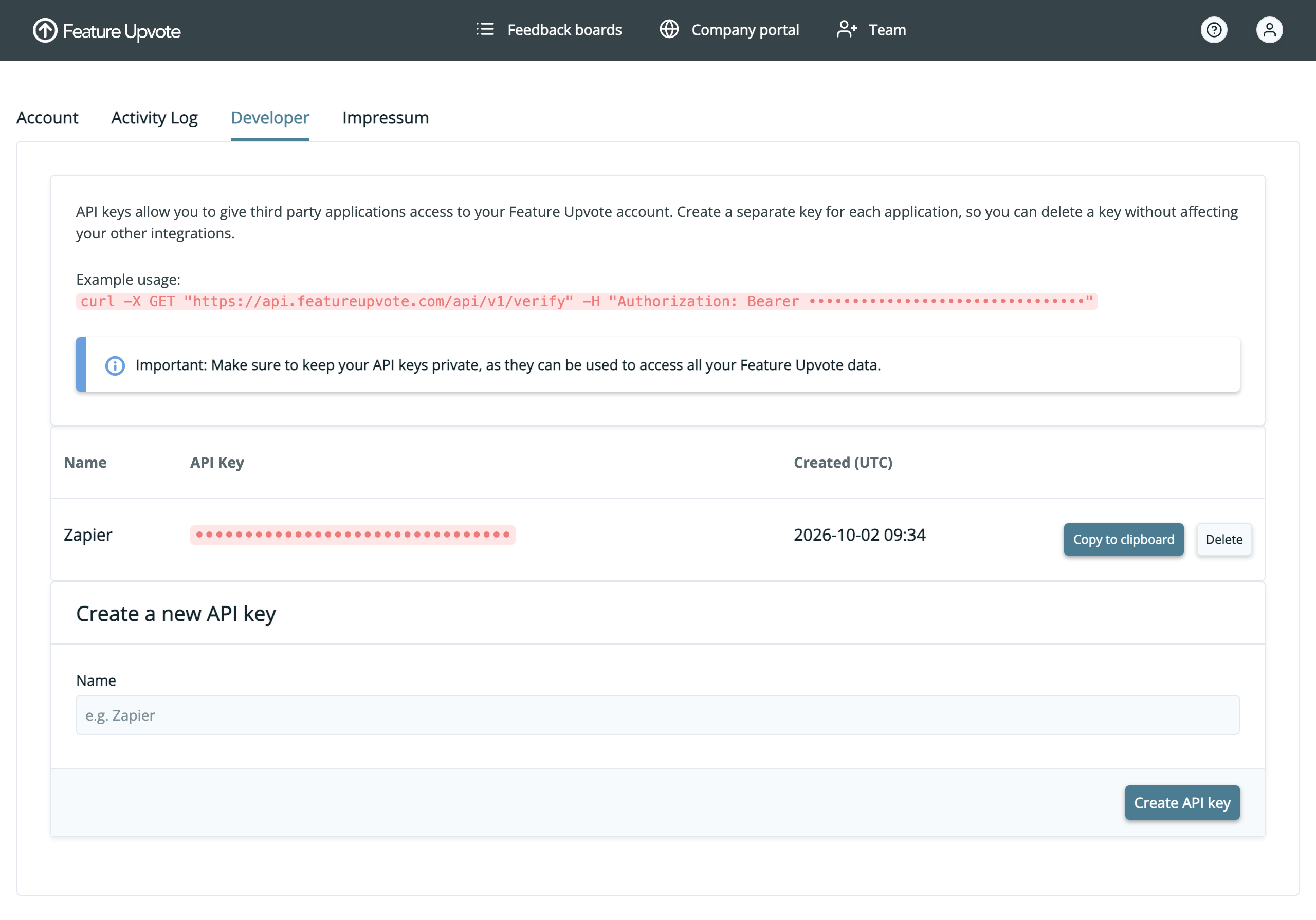
Using a separate key for Zapier means you can disconnect Zapier at any time by deleting that key on the Developer tab, without affecting your other integrations. Only admin users can create and delete API keys.
Once connected, we recommend using Zapier’s ‘Test’ button to make sure your connection to Feature Upvote is correct.

Now you are set up, you can connect Feature Upvote to any of Zapier’s 1,000+ integrations.
If you have any problems getting Feature Upvote integrated with Zapier let us know at support@featureupvote.com.