How to move suggestions between your boards
Introduction
Section titled “Introduction”We make it easy for you to move suggestions between boards. We do this because:
- If you have more than one board your customers may occasionally add a suggestion to the wrong one
- If this happens it is very time-consuming to deal with manually
How you can move suggestions
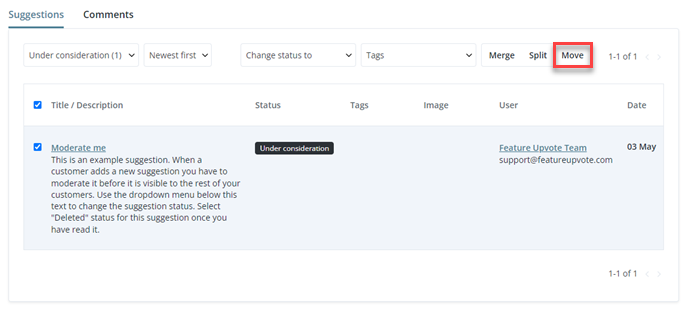
Section titled “How you can move suggestions”You can move a suggestion from the moderation page on your dashboard.
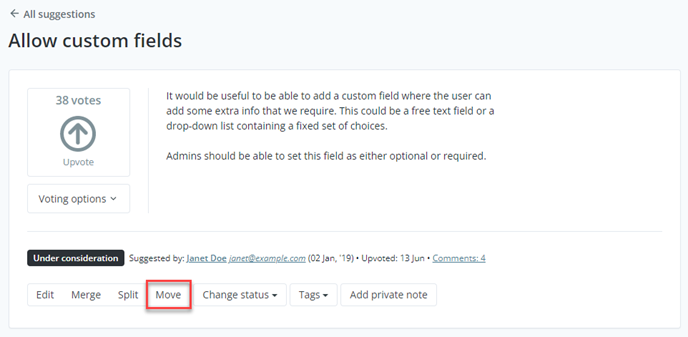
You can also move an individual suggestion that you’re viewing.
Once you’ve selected ‘move’ you’ll see a pop up window. This contains a ‘select board’ dropdown menu. Choose the correct board for the misplaced suggestion.
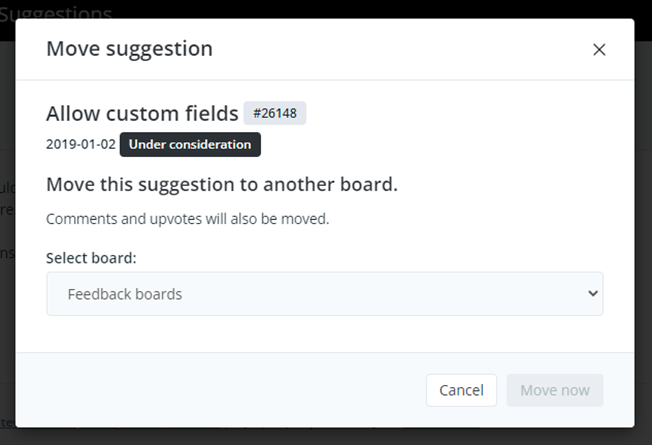
Your suggestion will then be moved to the correct board. It’s that simple.
What happens to comments and upvotes?
Section titled “What happens to comments and upvotes?”All comments, upvotes, and attached images are moved with the suggestion. Metadata such as the date and status of the suggestions are also retained.