Disabling voting for some suggestions
Introduction
Section titled “Introduction”You can disable voting on your feedback board for all suggestions with specific statuses.
You might want to disable voting for a suggestion because:
- the suggestion has been marked as “done”.
- the suggestion has been marked as “not planned” or “won’t do”, and you don’t want customers to be misled into thinking you’ll change your mind if it gets more votes.
- the suggestion is old, and is being kept only for archival reasons.
Disabling voting for a specific status
Section titled “Disabling voting for a specific status”-
In your Feature Upvote dashboard, go to your board’s settings

-
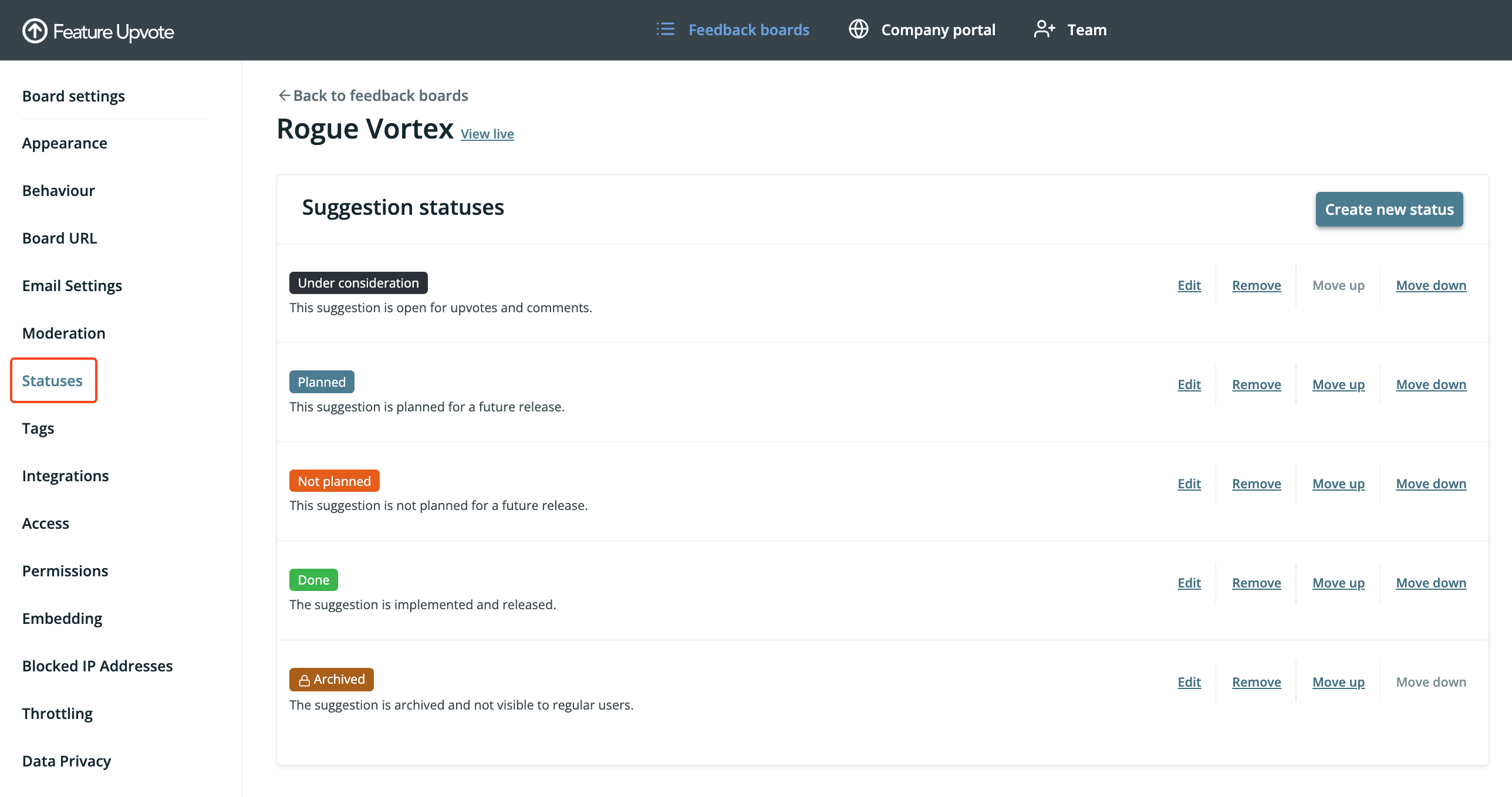
From the left-hand navigation, select “Statuses”
-
Find the status for which you want voting to be disabled, and select “Edit”
-
Uncheck the setting “Allow voting on suggestions with this status.”
-
Click “Save changes”
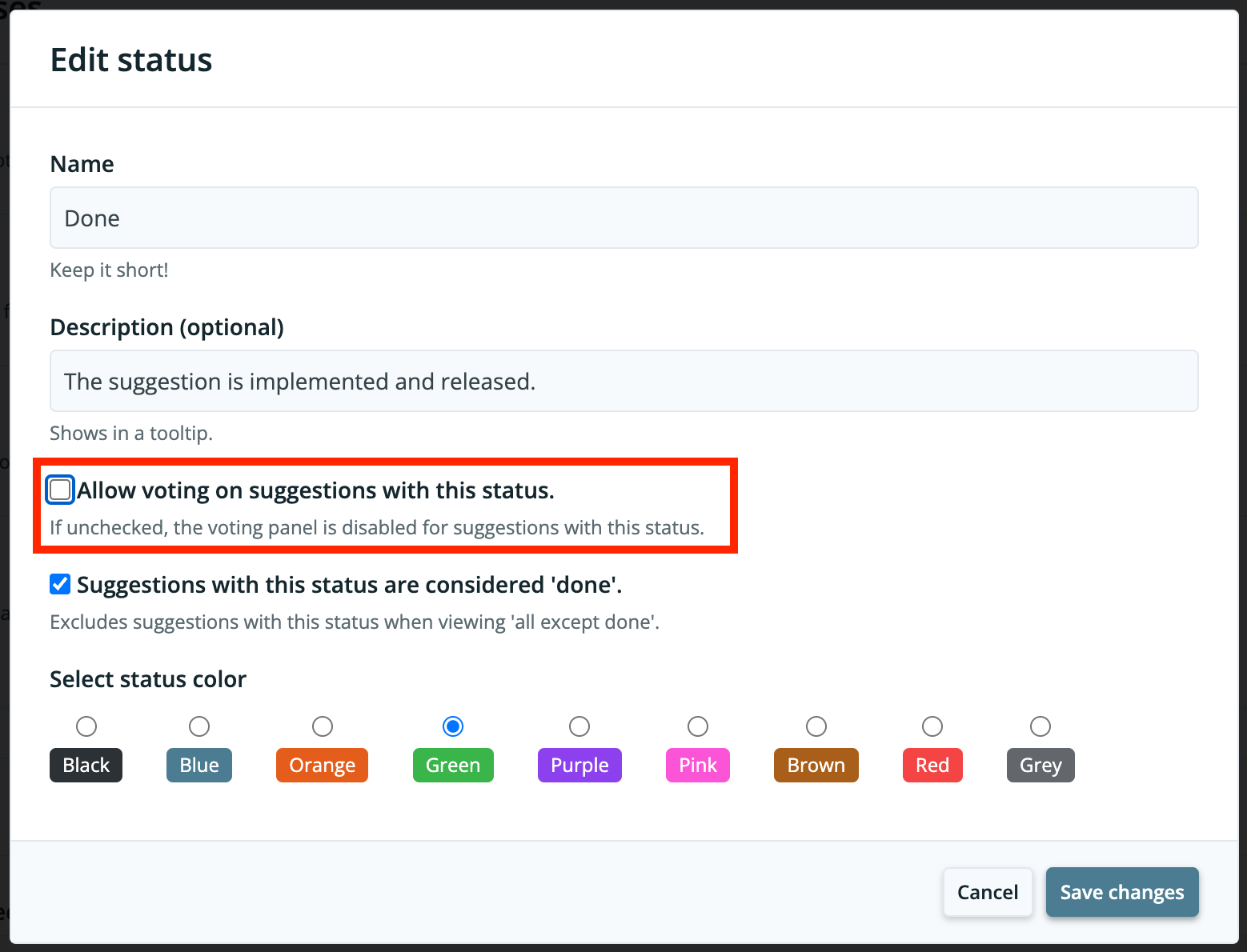
Now nobody can vote on suggestions with that status.
Re-enabling voting for a specific status
Section titled “Re-enabling voting for a specific status”If you’ve turned off voting for a status, but want to re-enable it, then:
- In your Feature Upvote dashboard, go to your board’s settings
- From the left-hand navigation, select “Statuses”
- Find the status for which you want voting to be enabled, and select “Edit”
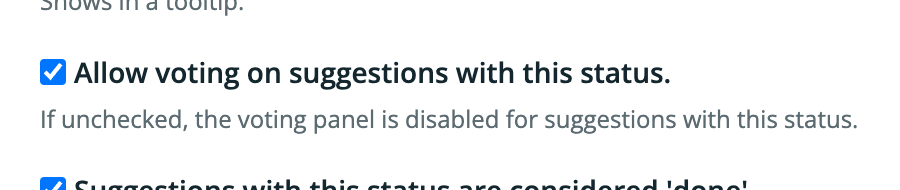
- Check the setting “Allow voting on suggestions with this status.”
- Click “Save changes”
Tips for disabling voting
Section titled “Tips for disabling voting”- You can disable voting on custom statuses.
- To create an “Archive” of old suggestions that you want to preserve, you can create a new status called “Archived” with voting disabled, and assign old suggestions to this status.
- If you want to temporarily disable voting for your entire board, use your board’s permissions settings.