A tour of your feedback board
Here is a typical Feature Upvote feedback board.
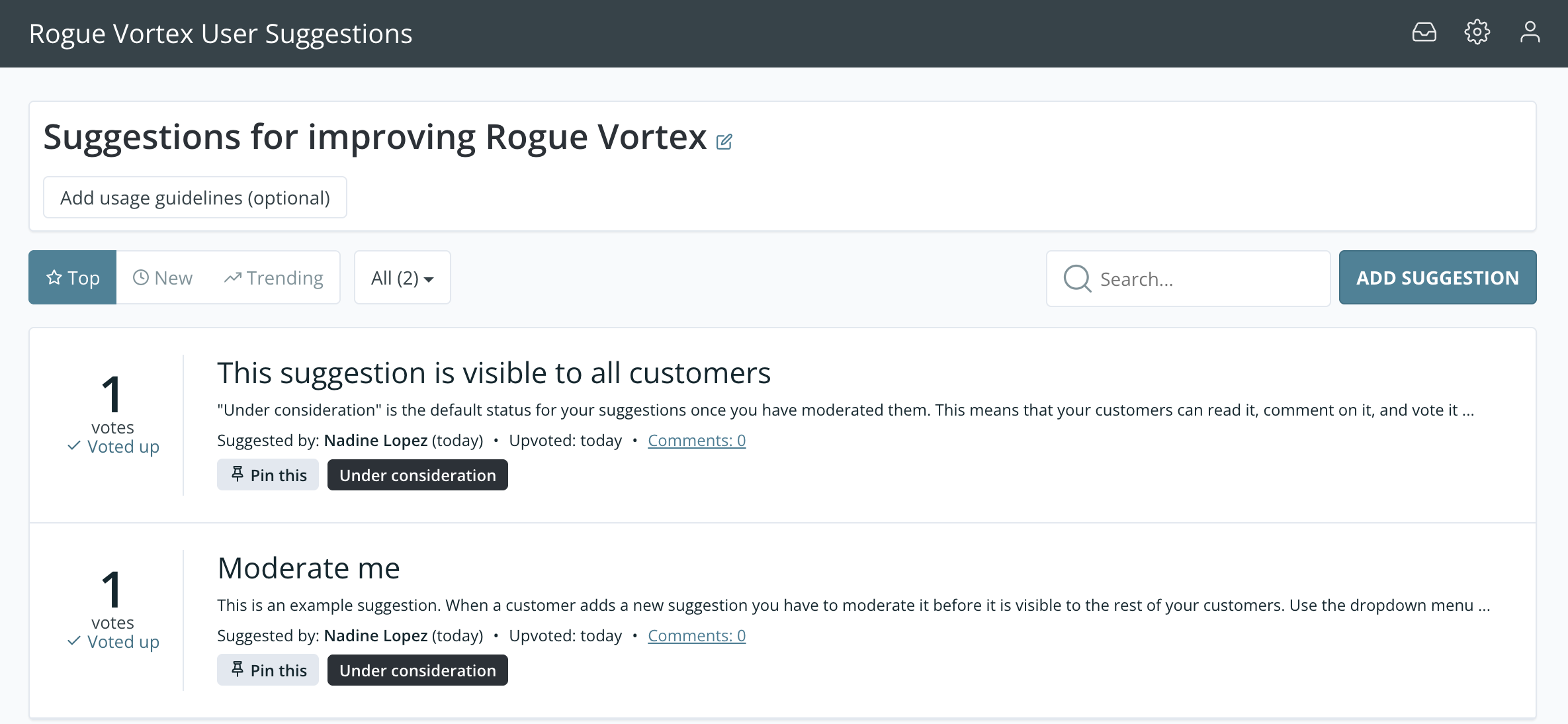
We’ll now have a look at all they key sections.
1. Moderator shortcuts
Section titled “1. Moderator shortcuts”
Only board moderators see these icons. In order from left to right, they are:
- Moderation tools. When there are new suggestions or comments awaiting approval, you’ll see a small red circle containing the total number that are unmoderated.
- Dashboard. Customise your feedback board using the options here.
- Sign out
2. Ordering and Filtering buttons
Section titled “2. Ordering and Filtering buttons”
You and your customers can order and filter suggestions in different ways.
- Top: By default, the most popular suggestions are shown first. Popularity is based on number of votes or, if you’ve turned on weighted scores, on weighted score.
- New: See the most recently added suggestions first.
- All: Filter suggestions. The default is to see all suggestions. However, you can choose to see:
- All
- All except done
- Under consideration
- Planned
- Not planned
- Done
- All tags: Filter by tags that you have created.
3. Search
Section titled “3. Search”
The Search bar lets you search by text or filter by status. Read more about our search functionality.
4. Suggestion list
Section titled “4. Suggestion list”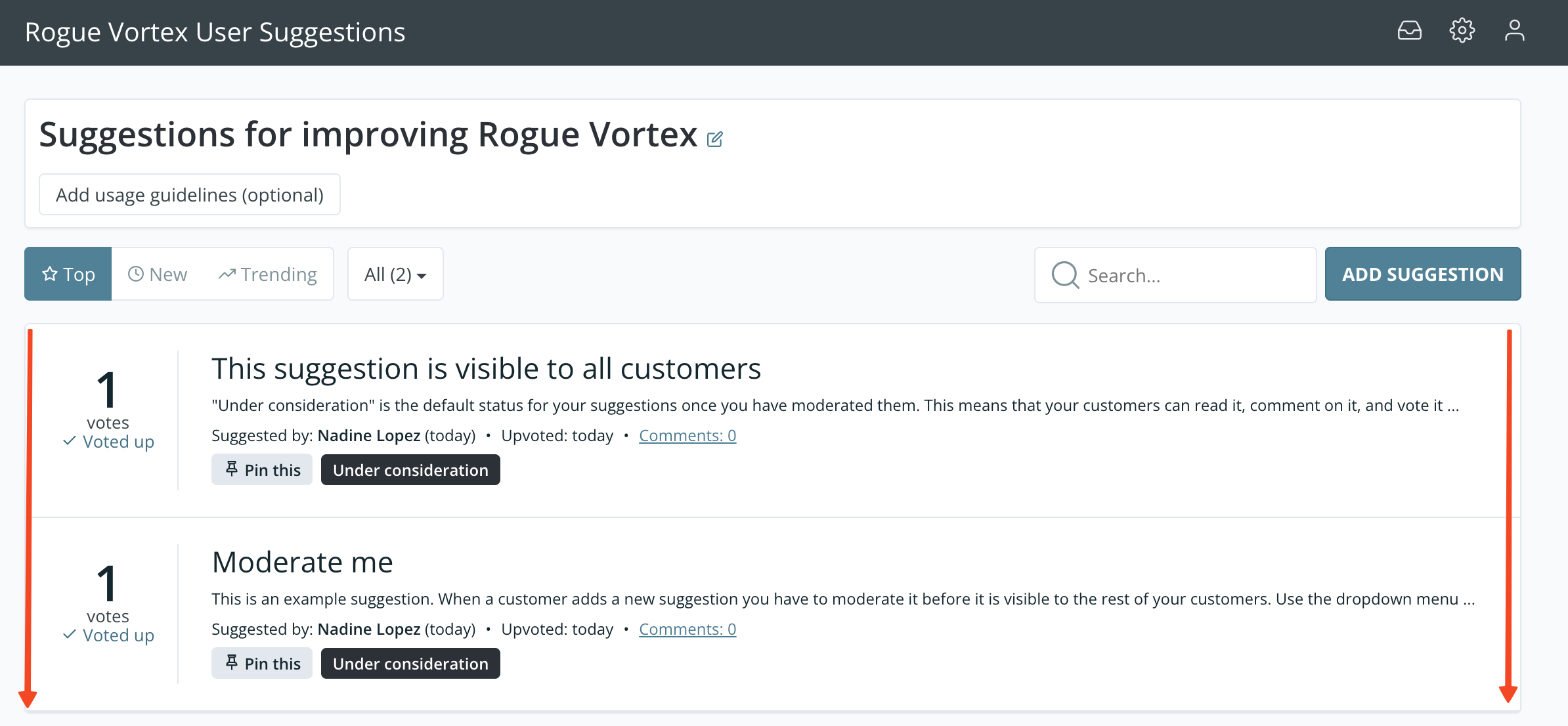
Initially the top 50 customer suggestions are shown in your suggestion list.
The number next to each suggestion is its number of votes. If you’ve turned on weighted scores, it’s the suggestion’s weighted score instead.
If you have more than 50 suggestions, the bottom of the list has a “Show more” button.
Want to test a live Feature Upvote board?
Section titled “Want to test a live Feature Upvote board?”- Sign up for a free trial and experiment with your own feedback board. You have 30 days to test it out and we don’t require credit card details, we won’t spam you, and we won’t try and bully you into a sales call. We want our customers to sign up for a paid plan because they genuinely like our product.
- Have a play with our interactive demo. You can freely add suggestions and comments without doing any harm to real boards or having to create a ton of content yourself